Team and keys
One account, many websites, the right access for everyone
Create an API key per domain, watch how it is used, rotate it when you must, and invite colleagues with a role that fits: owner, admin or viewer.
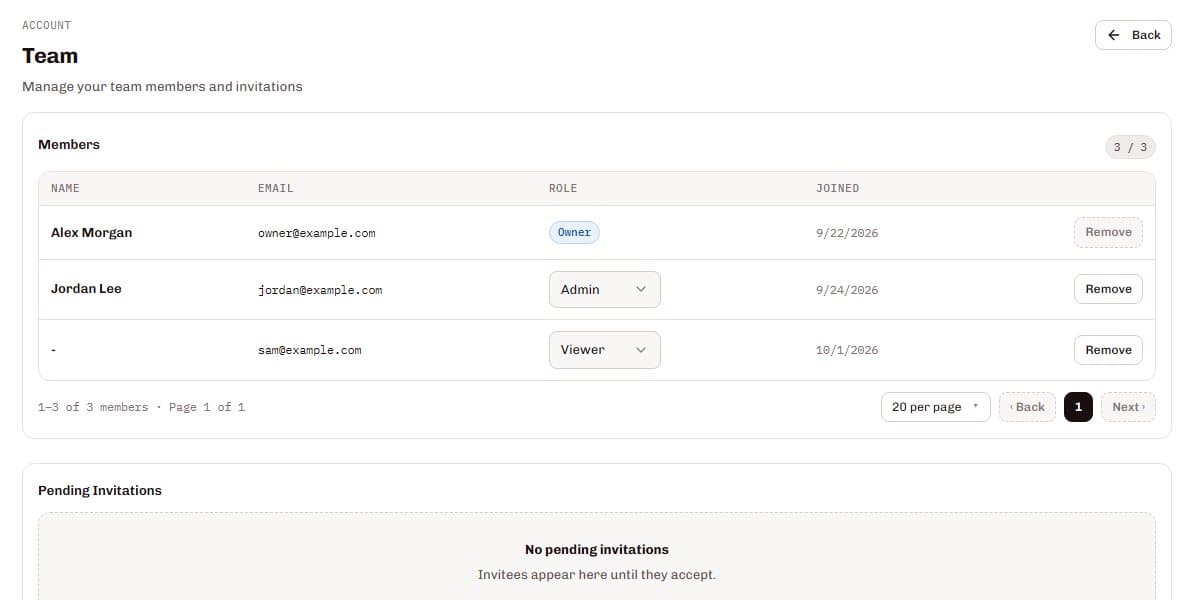
SilentShield issues one API key per website and ties it to its domain; a key can be rotated in the dashboard, and the old one stops working immediately. Team members join by invitation with one of three roles: the owner handles billing and the team, admins manage keys, rules and alerts, and viewers have read-only access. How many team members an account can have depends on the plan.
From the first key to a whole team
Create a key per website
Name it, bind it to a domain and choose production or development.
Install the widget
Add the script with your key. It is public by design and tied to your domain.
Invite your team
Enter an email address and choose admin or viewer; the invitation arrives by email.
Watch and rotate
Usage stays visible per key. Rotate a key if you suspect it is exposed.
What it gets you
A key per website
Separate keys keep each website's usage, alerts and settings apart.
Roles that match the work
Admins manage keys, rules and alerts; viewers see the analytics without changing anything; only the owner handles billing.
Rotate without panic
If a key may be exposed, rotate it in the dashboard. The old key stops working immediately.
Invitations you control
Invitations expire after 7 days, and you can resend or revoke them. Removing a member ends their access immediately.
Also part of it
Production and development
Mark every key as production or development.
Domain verification
Prove that you own the domain with a DNS record or a meta tag; pending checks run automatically every 5 minutes.
Settings per key
Widget look, alert rules and form settings belong to the key.
Data protection
The key in your page source is public by design and tied to your registered domain. Server-side checks use a separate secret key that never belongs in the browser.
Questions and answers
Which roles are there?
Is it safe that the key is visible in my page source?
What happens when I rotate a key?
How many team members can I add?
Related pages
Technical details
Setup and reference are in the documentation: