Bot protection
Invisible bot detection for your forms
SilentShield watches how a form is filled in, not who fills it in. Real visitors pass without noticing; bots are stopped or asked to prove themselves — and you can see why.
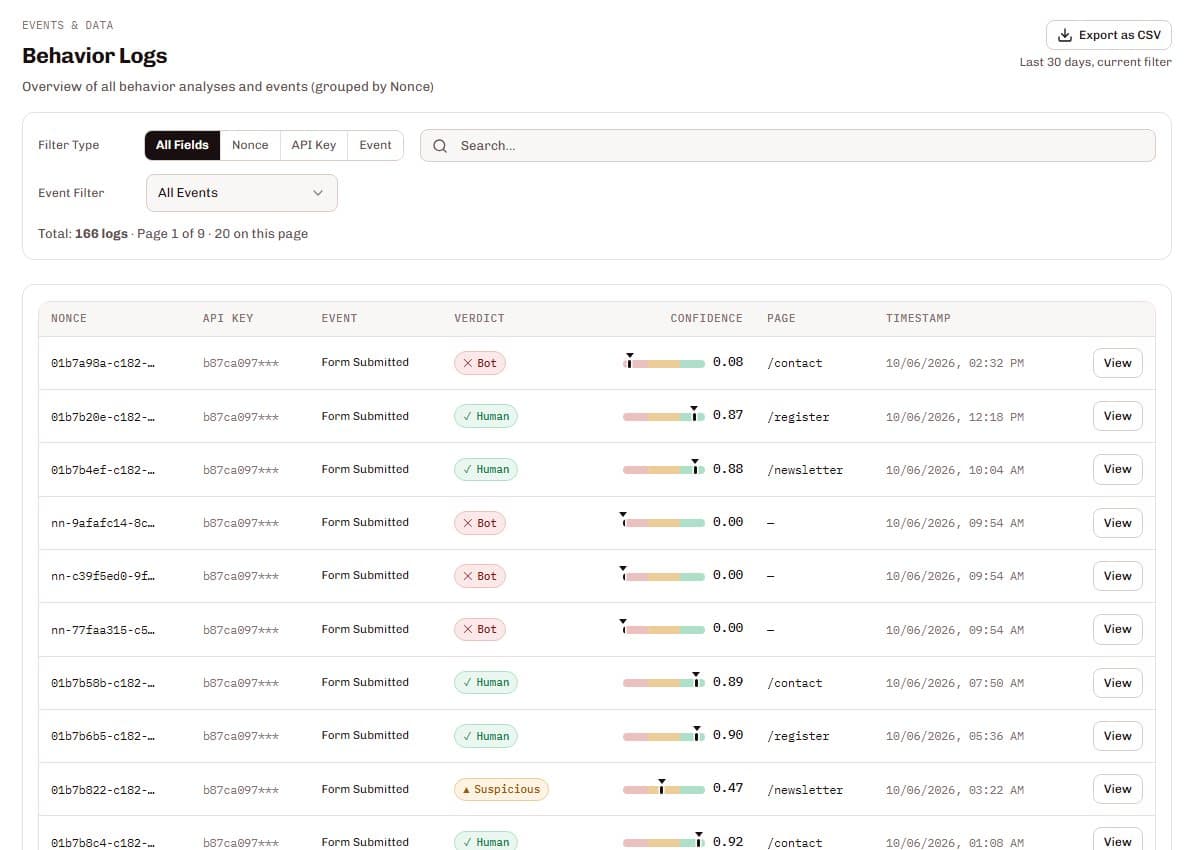
SilentShield's invisible bot detection scores every form interaction from 0 (bot) to 1 (human) based on mouse, keyboard, scroll and touch behaviour and the time the form takes. The result is a verdict — human, suspicious or bot — and you decide per verdict and per form whether to let it through, ask the visitor or reject it.
From the first click to the verdict
A visitor fills in the form
The widget measures how: mouse movement, typing rhythm, scrolling and touch, and how long the form takes.
Your server asks SilentShield
When the form is submitted, your server or the plugin checks the result through the API — the visitor notices nothing.
SilentShield returns a verdict
Human, suspicious or bot, based on a score from 0 to 1.
You decide what happens
Let it through, ask the visitor or reject it — set per verdict and, if you like, per form.
Submissions without any measurement, for example with JavaScript switched off, cannot be asked anything: for these you choose between rejecting and letting through.
What it gets you
No puzzles for real visitors
In the default mode a visitor is only asked when the behaviour looks off. Everyone else passes without any friction.
A reason for every block
Blocked and suspicious requests carry reason codes — typing too fast for a human, a perfectly straight mouse path, no pauses between words — so you can see why instead of guessing.
You set how strict it is
Ask only when something looks off, always (for sign-in or payment), or never. Individual forms can differ from the rest of your key.
Try it without risk
With the mode set to never and the actions set to let through, SilentShield scores and reports every submission but enforces nothing — the honest way to start in monitoring mode.
Checks that match the doubt
Proof of work
A small computing task that runs in the background. A person submitting one form barely notices it; a bot submitting thousands of forms is slowed down by every one of them.
Maths question as fallback
Only if the background task cannot be completed, a short, visible question appears — in 25 languages and with text-to-speech.
Honeypot fields
Hidden form fields that people never see and bots fill in. Switched on by default, no configuration needed.
Data protection
SilentShield sets no cookies and tracks nobody across sites. Browser and device characteristics contribute 10 % of the score and feed the fingerprint rules; if you would rather they did not, switch on Zero-PII mode — that removes this component entirely.
Questions and answers
Does a real visitor ever see a puzzle?
Can I try it without blocking anyone?
How do I find out why a submission was blocked?
What happens if JavaScript is switched off?
Try invisible bot detection on your forms
Start free and see the verdicts for your own traffic.
Related pages
Technical details
Setup and reference are in the documentation: