Analytics
Know what is really hitting your forms
A dashboard shows every recorded interaction with its verdict and score, trends over time, pages, devices and block reasons — and you can export the data.
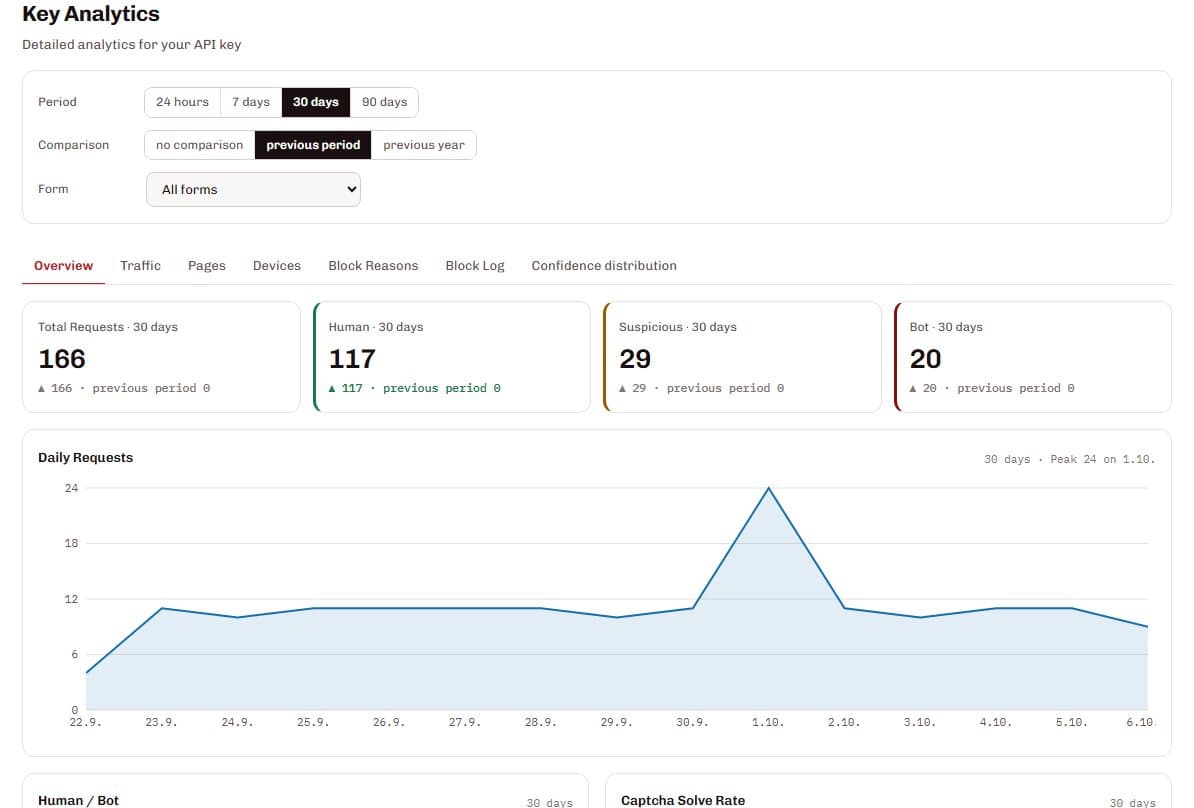
SilentShield's analytics show every recorded form interaction with its verdict — human, suspicious or bot — and its score, with period and comparison filters, a daily timeline, pages, devices, block reasons and a block log. Behaviour logs list single interactions, the data can be exported as CSV with the dashboard's filters and without IP addresses, and how long behaviour data is kept depends on your plan.
From a number to the reason behind it
Pick a period
24 hours to 90 days, compared with the previous period or the previous year.
Read the verdicts
Human, suspicious and bot counts and a daily timeline show the trend.
Drill down
Tabs for traffic, pages, devices, block reasons, the block log and the confidence distribution.
Export
Download the interactions as CSV with the filters you have set.
What it gets you
Verdicts at a glance
How many submissions are human, suspicious or bots, today and compared with before.
The reason behind a block
The block reasons and the block log show the reason codes and the score of each blocked request.
Pages and devices
See which pages and devices the traffic comes from. An unusual device mix, for example many headless browsers, can point to bot traffic.
Export without IP addresses
The CSV export keeps the dashboard's filters and leaves IP addresses out.
Also part of it
Behaviour logs
Single interactions with verdict, confidence and page — searchable and filterable.
Per form
Narrow the analytics down to one form.
Automatic clean-up
Behaviour data is deleted automatically after the retention period of your plan.
Data protection
The CSV export leaves out IP addresses. Behaviour data is deleted automatically after the retention period of your plan.
Questions and answers
What does a verdict mean?
Can I export my data?
How long is data kept?
Can I see why a request was blocked?
Related pages
Technical details
Setup and reference are in the documentation: