AI agent control
See which AI agents visit your site, and decide what they may do
AI search, AI agents and AI training are three different decisions. SilentShield shows who comes, whether they are who they claim to be, and lets you set a rule per category.
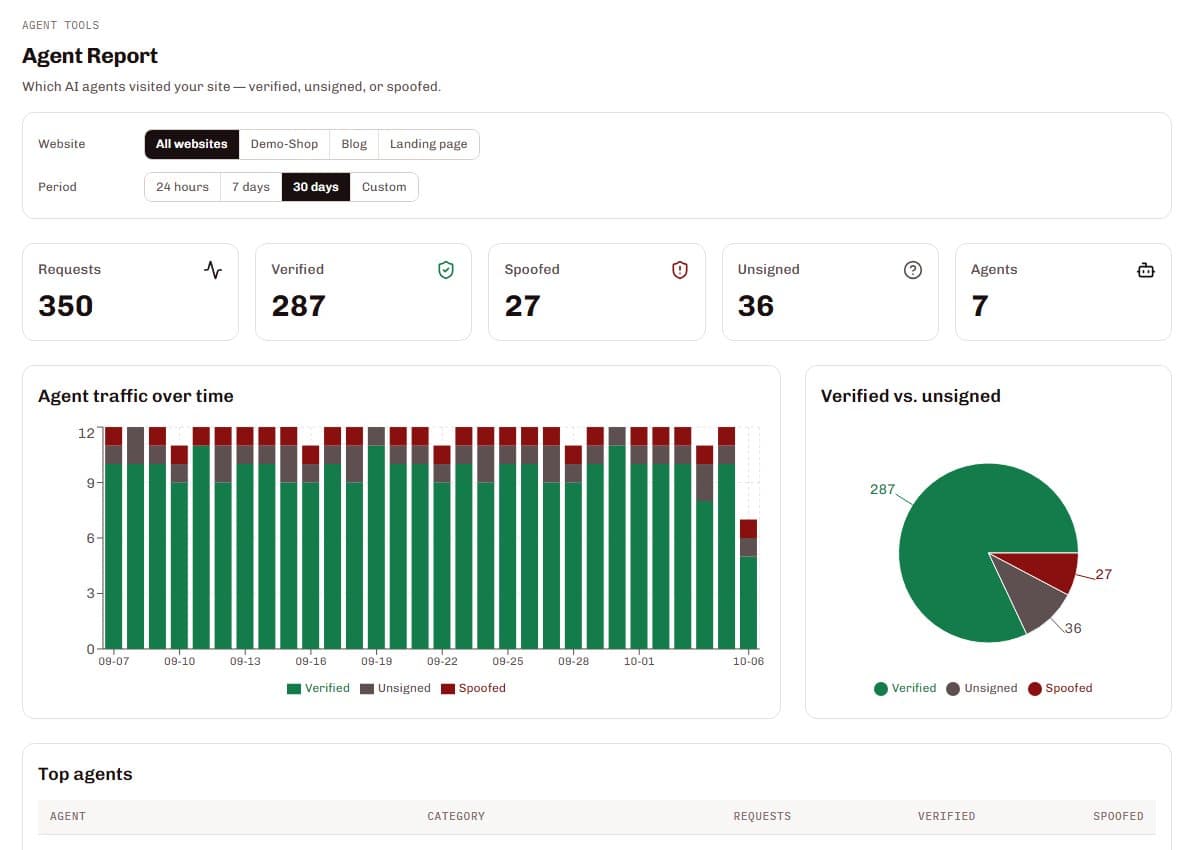
SilentShield's AI agent control records which AI crawlers and agents visit your pages, sorts every visit into AI search, AI agents or AI training, and shows whether the visitor is verified, unsigned or only uses the name of a known bot. You set a rule per category — allow, watch or block — with a recommendation for each. Recording works without blocking anything; enforcing a rule on your server is a second, separate step.
From the first visit to your rule
Observe
A small observer on your server reports which AI services read which pages. It blocks nothing and changes nothing on your site.
Sort
Every visit is sorted into AI search, AI agents or AI training.
Verify
Each visit is marked verified, unsigned or spoofed. Someone merely using a bot's name shows up as its own number.
Decide
Allow, watch or block each category — with quick presets from maximum visibility to maximum protection.
Blocking AI search also removes you from AI answers: that is a visibility decision, not only a security one. Enforcing rules on your server is a separate step; the components are currently provided on request during early access.
What it gets you
See before you decide
Most site owners never see which AI services read their content. The report shows it, with request counts per agent.
Spoofing is its own number
Verified bots, unsigned bots and visits that only claim a bot's name are counted separately, so a fake never makes the real bot look bad.
A rule per category
AI search, AI agents and AI training are three decisions. Each can be allowed, watched or blocked, with a recommendation so you do not cut yourself out of AI answers by accident.
Observe first, enforce later
Run observation for a week or two, read the report, and only then block — the same staged rollout as with DMARC.
Also part of it
Signed requests
Verification uses signed requests (Web Bot Auth, RFC 9421) as well as detection by name.
Not tied to WordPress
Observers are available for WordPress, Next.js, Node.js, PHP and Go.
Hashes instead of addresses
IP address and user agent are hashed on your server before they are reported.
Data protection
The observer sets no cookies and reports only hashes of the IP address and the user agent, not the values themselves. It runs on your server and never changes what your human visitors see.
Questions and answers
Does observing block anything?
What does “spoofed” mean?
Can I block AI training and stay visible in AI search?
How do I enforce a block?
Related pages
Technical details
Setup and reference are in the documentation: