Alerts and limits
Hear about bot spikes before your customers do
Set rules on your own traffic — bot rate, request count, solve rate — and get notified by email, webhook or Slack. Rate limits per IP address and per API key hold back floods.
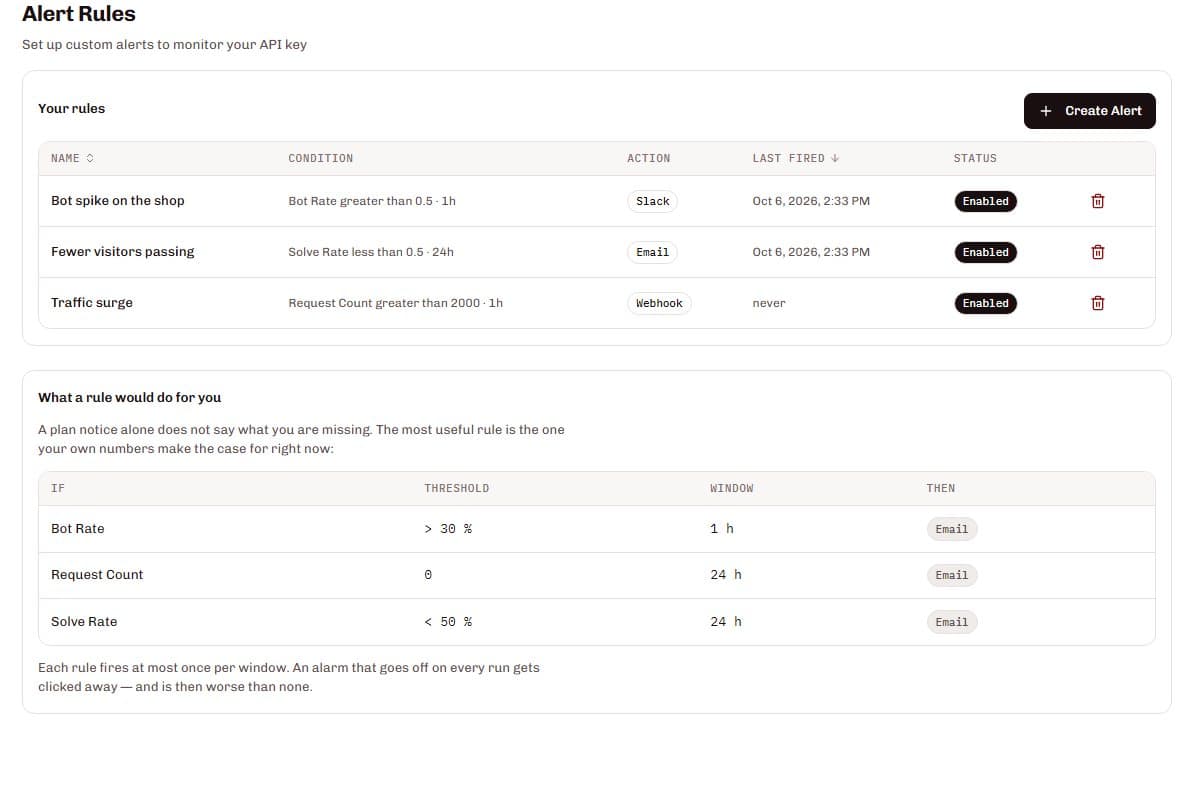
SilentShield lets you define alert rules per API key on four metrics — bot rate, request count, error rate and solve rate — over windows from five minutes to 24 hours, and sends the alert by email, webhook or Slack. Rate limiting per IP address and per API key protects your endpoints, and automatic abuse detection blocks repeat offenders. SilentShield protects forms against bots; it does not replace a web application firewall or DDoS protection.
From a metric to a message
Choose a metric
Bot rate, request count, error rate or solve rate.
Set threshold and window
Greater than, less than or equals, over 5 minutes, 15 minutes, 1 hour or 24 hours.
Pick the channel
Email, a webhook or a Slack message.
Get one alert per window
A rule fires at most once per window, so an alarm stays worth reading.
What it gets you
Rules on your own numbers
Start from a suggested rule or define your own for each API key — the most useful alarm is the one your own traffic makes the case for.
Three channels
Email, a webhook with an optional HMAC-SHA256 signature, or a formatted message in your Slack channel.
Notifications you can tune
Alerts for high abuse activity, quota warnings and key expiry are on by default; a weekly report is optional.
Limits that hold
Per-IP and per-API-key rate limiting protects your endpoints, and automatic abuse detection blocks repeat offenders.
Also part of it
Quota warnings
Email notifications as your monthly quota fills up, so a limit never comes as a surprise.
A structured webhook
The payload carries the rule name, metric, value, threshold and timestamp.
Slack, directly
Add an incoming webhook URL and alerts arrive in your channel.
Data protection
Alerts are built from counts of your traffic. A webhook payload carries the rule name, metric, value, threshold and timestamp, and you can verify its HMAC-SHA256 signature with a secret of your own.