Version 2.5.0 of SilentShield is a release about honesty rather than new switches: it changes what we store, says plainly what we count, and states which WordPress form plugins we have actually tested. The full list is on the changelog; this article explains the three changes you are most likely to notice.
What is new in 2.5.0
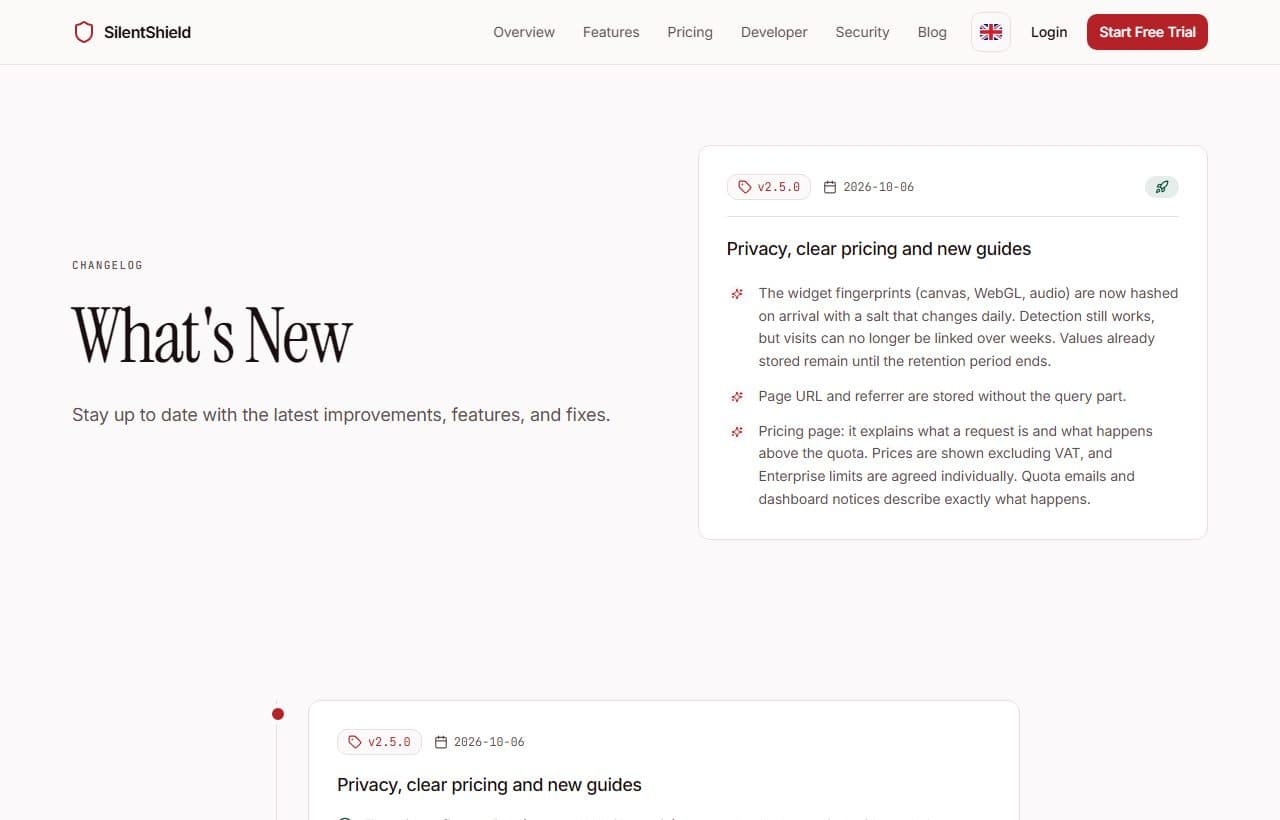
The release covers four areas:
- Privacy. Fingerprints are stored with a salt that changes daily, and stored page addresses no longer carry a query string.
- Pricing page. It explains what a request is and what happens when the monthly quota is used up.
- WordPress. A new guide with a test using a real and a rejected submission, and a compatibility list that names what does not work.
- Developer documentation. A new structure, and API examples that now work when copied.
Fingerprints and URLs: less that can be linked
The widget measures a canvas, a WebGL and an audio fingerprint. Until now these values were stored unchanged, so the same device produced the same value on every customer's site and on every day. That made it possible to link visits across sites and across weeks, which is exactly what a privacy-friendly product should not allow.
Now the values are hashed on arrival with a salt that changes every day. Within one day the same device still produces the same value, and that is what lets rules notice a bot that sends the same fingerprint again and again. On the next day the value is a different one, so visits can no longer be linked over weeks. Values that were stored before the change remain until the retention period ends.
The second change concerns addresses. The page URL and the referrer used to be stored including the query string, and a query such as ?email=… could end up in the stored address. They are now stored without the query part.
What counts as a request
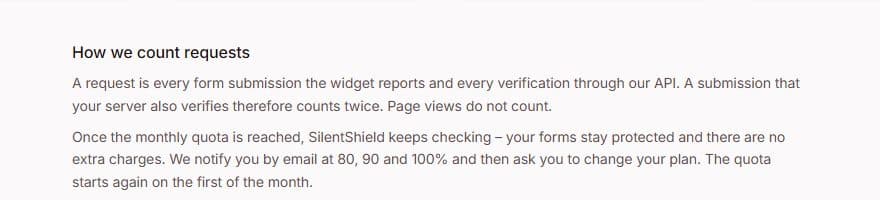
The pricing page now says what a request is: every form submission that the widget reports and every verification through our API. A submission that your server also verifies therefore counts twice. Page views do not count.
It also says what happens at the limit. Once the monthly quota is reached, SilentShield keeps checking, your forms stay protected and there are no extra charges. You receive an email at 80, 90 and 100 percent, and the quota starts again on the first of the month. Prices are shown excluding VAT, and the limits of Enterprise are agreed individually. The quota emails and the notices in the dashboard describe the same behaviour, so the page, the mails and the product no longer say different things.
Which WordPress forms are protected
The new WordPress guide walks through installation, creating the key and switching protection on per form. It then shows how to test: send one real submission from a browser and one without a browser, and check that the second is rejected. A section on troubleshooting covers the most common causes, such as a missing HTTPS connection.
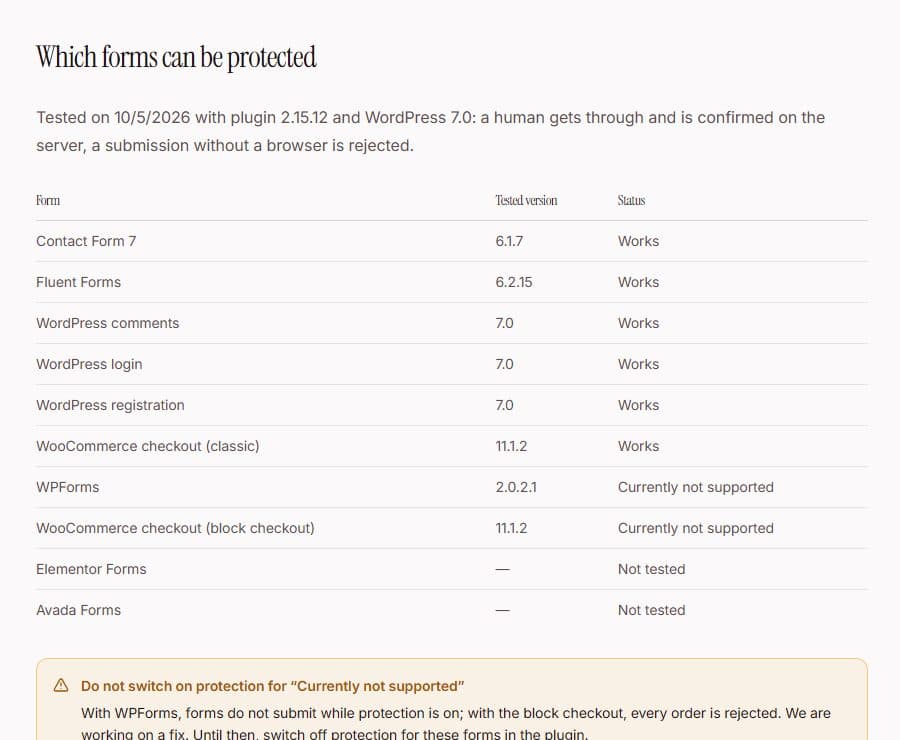
The guide ends with a list that was tested on 5 October 2026 with plugin version 2.15.12 and WordPress 7.0. Contact Form 7, Fluent Forms, the WordPress comments, login and registration forms and the classic WooCommerce checkout work. For Contact Form 7 there is a separate article on preventing spam and testing the form.
What is still missing
Two entries on the list read “Currently not supported”: WPForms and the WooCommerce block checkout. With them, forms do not submit while protection is on, or every order is rejected. Until that is fixed, switch protection off for those forms in the plugin. Elementor Forms and Avada Forms have not been tested yet, and we do not claim they work.
To see everything that changed, read the changelog. To check what fits your site, start with the WordPress guide or the pricing page.